



You probably use Canva for all kinds of graphics – but have you tried searching for a whole range of different template types for your podcast or video series?
In this blog post we’ve rounded up some types of podcast and video Canva designs you may have overlooked. Add your name, change the colours, or rebuild them completely from the ground up – the choice is yours!
1. Podcast Logo Thumbnails
First up we have one of the most obvious types of templates – a logo for your podcast. Your podcast logo thumbnail should be square and somewhere between 1400 x 1400 px and 3000 x 3000 px.
If you don’t want to measure it out and don’t have the design skills either, Canva has a whole bunch of thumbnails you can edit to your heart’s desire. Simply switching out the colours and fonts can make it feel like your brand very quickly.
Be sure to check Canva’s terms on where and how you can use the specific logo/template you’re looking at. You’ll also want to heavily edit the style so it doesn’t wind up looking familiar to people, or like someone else’s! Personalise it where you can by including your own photo if possible.

Search “podcast logo” or click here.
2. Audiograms
Audiograms and sound wave templates are great for a higher-end audio-playing feel. Subconsciously, they make your follower feel like they’re already starting a full episode. When uploading to social media, add a quick snippet of your audio over the top to give more insight into what your episode is about.

Search “audiogram” or “animated audio wave” or “audio waves”.
3. General podcast/video thumbnails
These horizontal templates are perfect for creating eye-catching content. Although they’re horizontal, you can use Canva’s resizing tools to make them work for vertical too – just check you haven’t cropped anything off or made it too small to read.
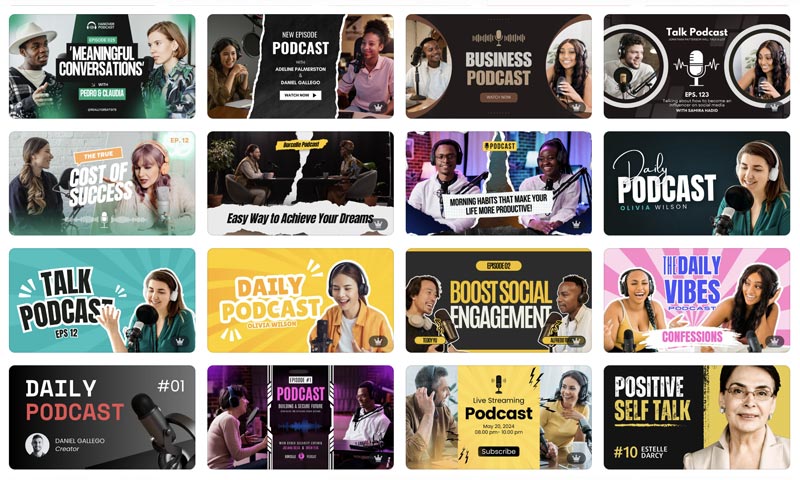
Search “podcast thumbnails” on Canva or click here.
4. Spotify mockups
Even if you don’t specifically list your podcast on Spotify, searching for Spotify-themed templates on Canva is a great way to uncover some hidden podcast, music and video-themed gems.
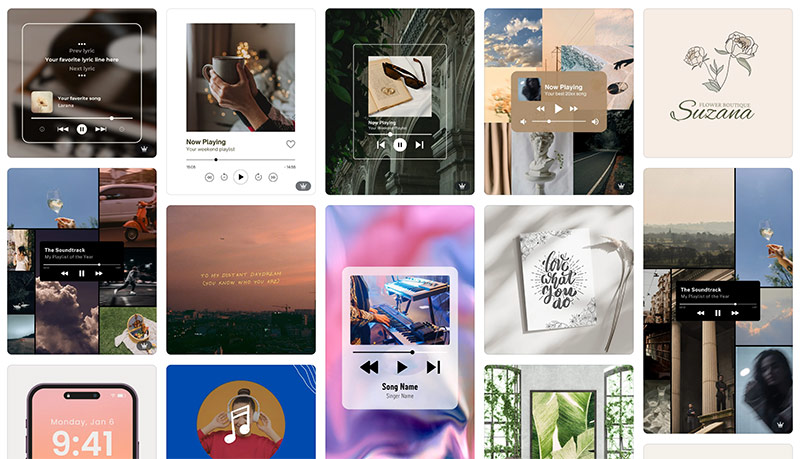
Search “spotify mockup” or click here.
5. YouTube thumbnails
These thumbnails are pre-sized for your YouTube videos but can be easily adapted for other contexts using Canva’s easy image resizing tool. If you’re looking for inspiration for eye-catching thumbnails, there’s plenty!
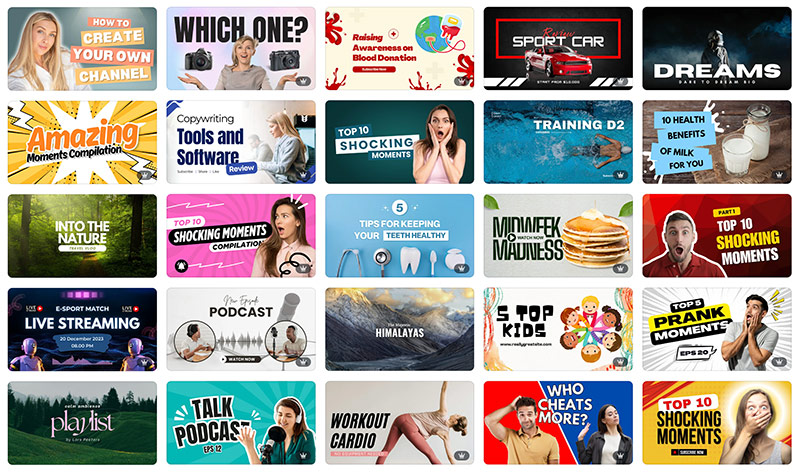
Search “youtube thumbnail” or click here.
6. Tiktok thumbnails
Similarly, you can find a wide range of vertical thumbnails that work for your Tiktoks (or Instagram Stories) with a quick search of Canva’s template library.
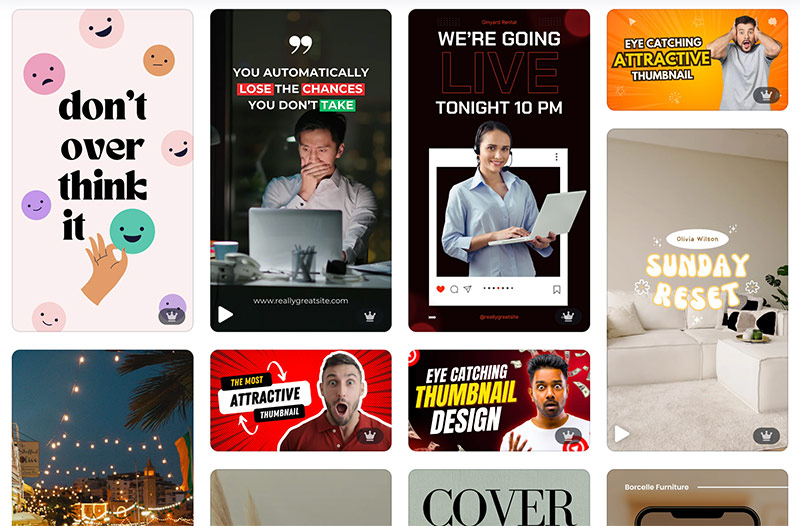
Search “tiktok thumbnail” or click here.
7. Sneak peek designs
A little less specific, sneak peek templates are a great way to build curiosity for your followers…and also give you something quick to throw up when you haven’t finished editing your latest episode yet!
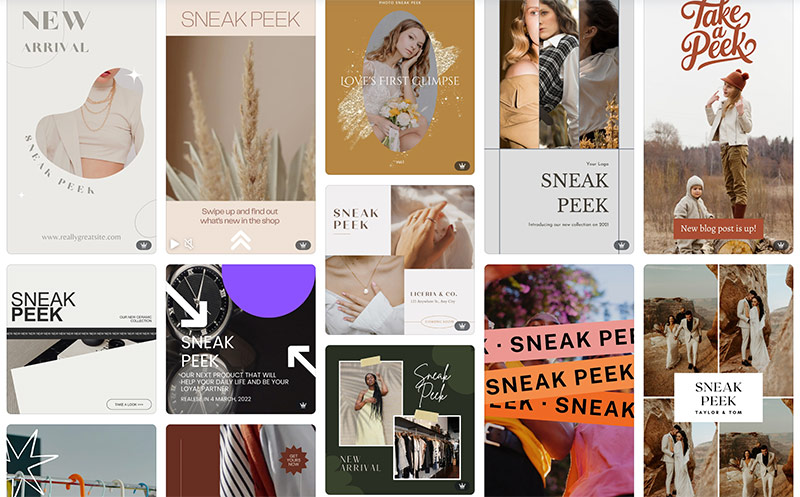
Search “sneak peek” or click here.
8. Playlist templates
Help your followers visualise you on their playlist with a fun little template – all the hard work has been done for you. Don’t forget to change the background colour to match your branding!
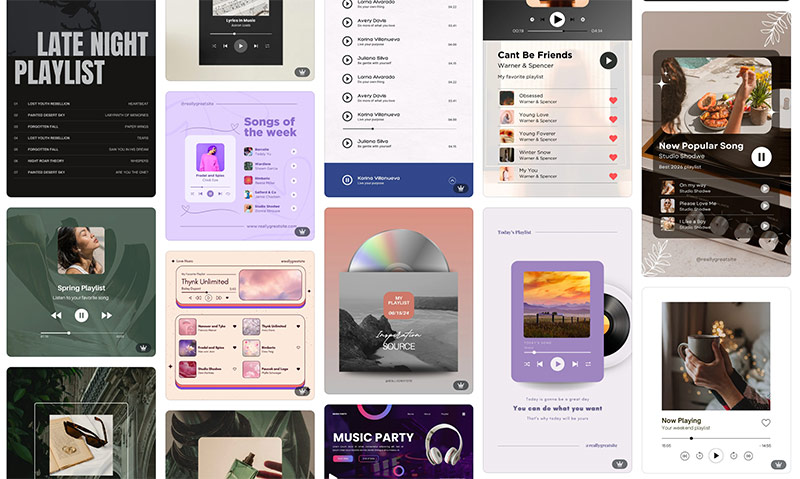
Search “playlist” or click here.
9. New episode/season images
Announce your new episode, season launch or upcoming series with a “new season” template. Tip: add a podcast- or video-related keyword to your search to cut out all the fashion designs!
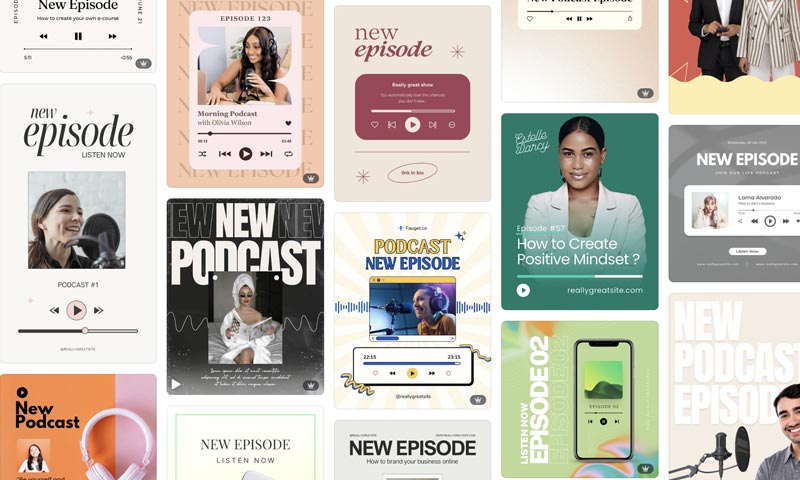
Search “new episode podcast” or click here.
Hopefully you’ve found this roundup of Canva templates for podcasts useful, and we’re looking forward to seeing what you create for your video or audio series! Tag us in your post or story on Instagram and we’ll reshare.